How Android Go differs from its Origin
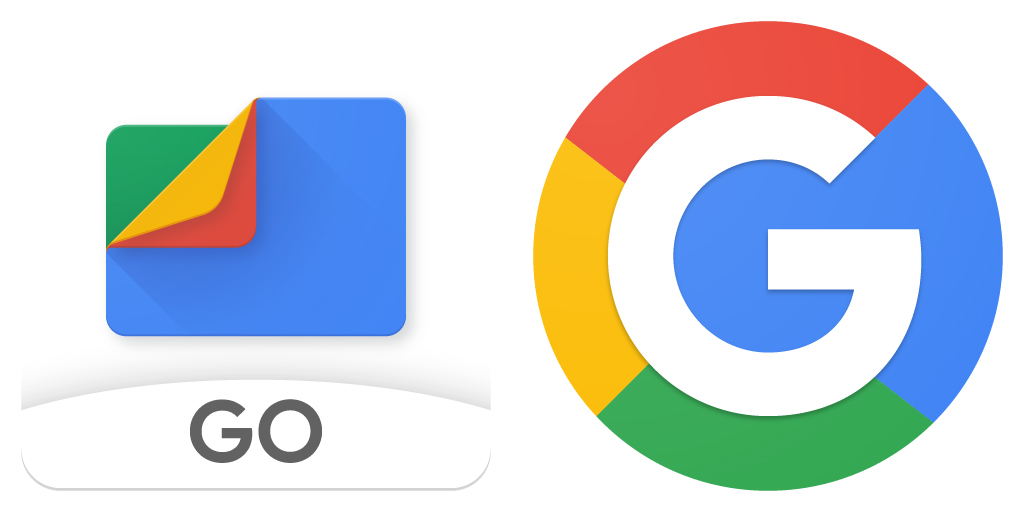
It was at its I/O Conference in 2017 that Google initially made an announcement to present Android Go, which would work perfectly on low-cost or cost-effective Android devices. Google launched Android Go to target ordinary users, who do not use very expensive smartphones and aimed to expand its application market in developing countries. Well, for those who are not familiar with this lighter or the reduced version of Android can check the website development company in Kolkata as they are working through this concept to give you a better perspective of app development. We have created this guide to discuss the basic concept related to android go and how it differs from the original application: What is Android Go? Android Go is the reduced version of the Android operating system launched by Google to run the operating system successfully on entry-level phones. As the number of smartphones is skyrocketing globally, this is a master hit from Google to expand its business strategy. Android Go allows all Google-based applications to take up very little storage space. Therefore, the website development company in Kolkata are seeing it as a blessing for devices that have a low RAM size. Even preinstalled applications will also consume fewer data and space. Google when launching Android Go has focused intensely on three main areas, including the Play Store, the operating system and applications. Let’s examine each of these closely: The Android Store Go Play To make the Android lightweight and reduce application load, Google also introduced a new and exclusive Android Go Play Store. In truth, there is not much difference between the normal Google Play Store and the Android Go Play Store, since both provide more or less the same content. The only difference is that Android Go Play Store offers a store that best suits entry-level devices. It also helps to recommend to users the best applications that can run smoothly on their devices and improve their experiences. The Applications Google has launched the same applications that are in the normal version, but with the light, the version to adapt to the memory of the device. For the most part, these applications occupy approximately 50% less space and provide the same performance experience as in the case of regular applications. Basically, with Android Go, you will find these lightweight applications which are preinstalled in Smartphone such as YouTube Go, Gmail Go, Google Maps Go, Google Go, Google Assistant Go and Files Go, etc. The website development company in kolkata have stated that applications can be navigated at a much faster speed, almost 15%. However, you may have to commit to some of its features that are not available in the Go version. It should be noted that most of the pre-existing applications in Android Go are progressive web applications. OS The operating system is based on the same model as the Android Oreo but has been specifically designed to support devices that have RAM ranging from 512 MB to 1 GB. They take up half the space of Android Nougat, which allows the smartphone to install and use more applications. The Android Go has an additional feature known as the data saver available in the default mode that helps you consume fewer data. The difference between Android Go and Original Android To figure out the difference Moz Web Development a website development company in Kolkata has undertaken a comparative analysis between the regular Android and Android Go focusing on some of the key applications. Starting with Google and Google Go When you take a first look at Google Go, you will find it simple and lighter, which is much easier to install. The most important part of the reduced version is that the size of the application; which only has about 12 MB; while regular Google occupies a large space of about 166 MB. The big difference in the file size of the application also saves a lot of time when downloading or updating the application. It consists of all the important features such as voice search, Google Translate, Maps and GIF. However, the Google Feed feature remains absent here, but you should be happier to receive such a compressed size of the application. Gmail Go and Gmail Regular People with low-priced smartphones also find it much more convenient to check and reply to their emails using their devices. Therefore, Google has provided these users with Gmail Go, which performs the same function as a normal Gmail application. Yes, you can easily access your emails from anywhere at any time by simply touching the button. To give you more information about it, the Gmail Go has a file size of approximately 24.8 MB to be precise and even if you compare it to the normal Gmail application due to RAM consumption, it occupies 77MB compared to a whopping 260MB. Besides, the Go version interface remains more or less the same and provides all the features, including sliding gestures. Comparison of Google Map Go with Google Map Well, it is interesting to note that the size of the APK (Android Package Kit) of the Google Go Map is simply 0.009 MB. On the other hand, if you compare it to normal Google Maps, then the size would be as large as 48 MB. Yes, it can’t be called huge; But comparatively, there is a big difference between the sizes of the two applications. One of the most common features that Google Go Maps shares with its usual contemporaries is the ability to share locations in real-time. However, you would also be disappointed to note that Google Go Maps does not offer the benefit of navigation. This means that if you have to find the correct address, the user must install another application called “Navigation for Google Maps Go” to use the navigation on Android Go. But the fact that it offers you information about the state of the traffic will help you plan your trip according to … Read more