Best Web Design Company In Kolkata in 2022

Web Design Company kin kolkata

How to Select the Top Web Design Company in Kolkata India? Let’s start to find out the best web Design Company in Kolkata. A fully-functional and interactive website can add up a lot to any type of business growth. And when you understand that and want a website design and development for your business, the next difficult task is how you can find out the leading website design company that can develop professional websites for you. Here are some points to choosing the best web designing services for you. First, you have to think blueprints of your website, and what kind of look you want for your custom-designed websites. What are the most important factors you want to focus on? Make a detailed search and create a list of good website design company. Talk to those web solutions about your prospect, and clarify it as best as you can. Check if they are really understanding your requirement or not. If not then just leave them and move to another company. See if that company can give you some deeper or better insight that you may have missed. Read some reviews and user experiences about that web design company on different platforms. It will help you to understand the quality a lot. Check some of their previous projects or web design works to understand their creativity and skill. Budget is an important factor. A too-high price beyond your budget is not something that you should settle for. Tally the differences between the web design companies and their offers before taking a final decision. Selecting the correct web design company in Kolkata for your business may be a challenging task to do for businesses. Searching, analyzing, and reviewing, all these may take a lot of effort and time. That is why we at Moz web development keep it all ready for our leads. We rely on transparency between clients and us regarding web projects. Our work ethic makes us one of the top web design companies in Kolkata, India. And that is the reason why hundreds of businesses have already chosen Moz web development. Why Should You Choose Moz web development?   1 . Team of Specialists: Our team at Moz web development consists of well-experienced and highly skilled web design experts who have the skill and experience of working in challenging situations and still deliver the best services to the customers. Moz web development team members are well equipped with the latest technologies and trends. They are always ready to make a difference in their client’s business. You can start as low as INR 6,999 for Basic Web Development. 2. Diverse Design Options: As we stated earlier, our designers and developers have experience in working for businesses across multiple sectors. Whether it is a website, which consists of 500 pages, or might be a single-page website, which is very simple in functionality and style, we can create or develop it all for you. Our expert team always keeps the aesthetic angle in their minds. Our company designs fully and completely customized websites, which not only work perfectly but also stand out compared to the other competitors. Professional Website Development Package provides a good variety of design options to choose from. 3. Budget-Friendly: Whether a person is a start-up or an established business, the budget is always something, which he takes care of wisely. The budget should be very well distributed across multiple business operations. And Moz web development understands that well. That is why we bring customers the best budget-friendly web design services and SEO services without compromising the quality. Our experienced team can provide faster results compared to the other companies and save costs. 4. Expert Advice: Moz web development not only does it according to your needs, they always try to go beyond that. Their years of experience help them to give their customers better suggestions and valuable insights which ultimately help in their customer’s business growth. Moz web development always considers the pros and cons of everything they do and creates some strategies based on that. We always advise our clients or customers on what is best for them and their business. For that reason, Moz web development has a strong customer base that solely relies on them making them one of the best web design company in Kolkata. We are always looking for Expert professional and hire them. 5. SEO-Friendly Websites: Moz web development understands that developing a website is not everything, ranking that website in the search engine (example: google search) pages give customers the actual business and exposure. That is why we at Moz web development, create websites that can integrate with SEO services as well. Our expert team helps customers develop fully-functional and SEO-integrated websites at the best possible price like HWRIG. Some other important factors of Moz Web Development, best web design company in Kolkata Moz web development is a cost-efficient, high-quality full-stack Web design, and development agency having global clientele with expertise in Mobile App Development, Website Development, E-commerce Website, & Digital Marketing services like Search Engine Optimization (SEO),  Social Media Marketing (SMM), Ads on Social Media Platforms, Search Engines, etc. for your business. Also have all inclusive packages for Premium Website Development. They are one of the best web design company in Kolkata delivering all-around solutions so that you get all the important services under a single roof. You get full and complete transparency in your work. Moz web development designs websites to meet your business needs. By making responsive, dynamic, and marketing-ready websites they take your business to the next level. Moz web development use technologies like Laravel, Angular, WordPress, PHP, etc. for web development services. Moz Web Development is also one of the best e-commerce website development company in kolkata. You can read more on our About us Page. Contact Details: Official Website: www.mozwebdev.in Email id: contact@mozwebdev.in Phone Number: +91 72785 84221 Address: 51/51, Roy Mallick Colony, Kundubagan, Ghughudanga, Dum Dum, Kolkata – 700030, West Bengal, India Frequently … Read more
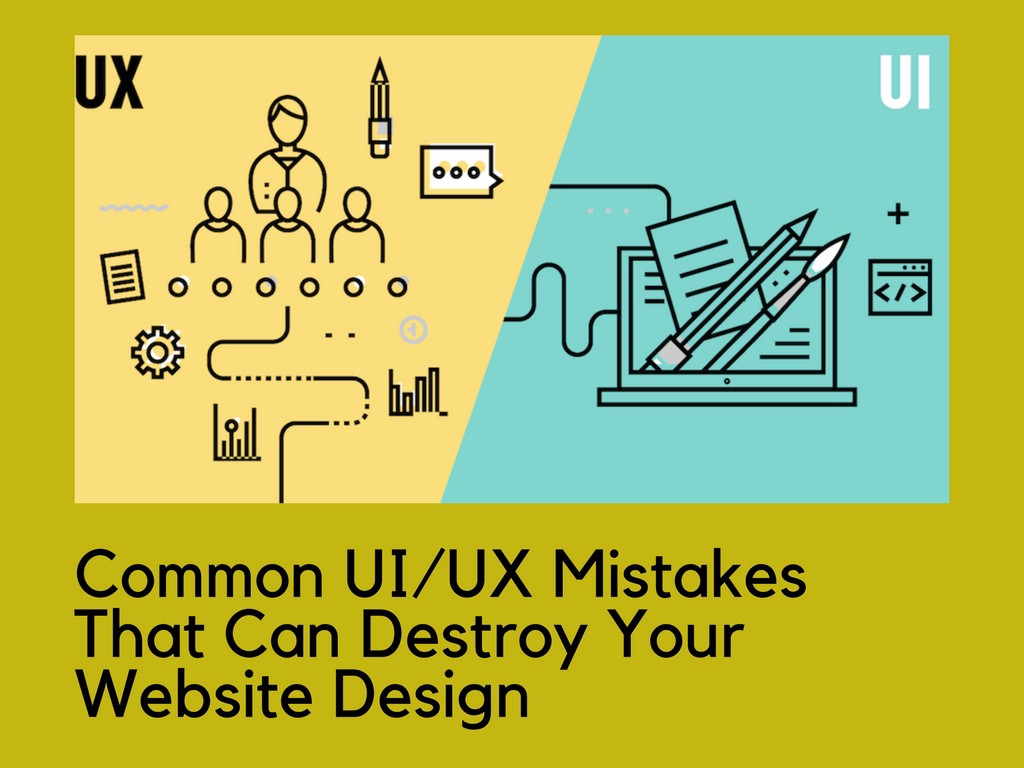
5 Common UI/UX Mistakes To Avoid During Web Designing

Developing an application can always be a difficult task unless you work with an experienced web design company who can guide you through the process. Since all designed websites do not receive the momentum of the search engines, so to rank higher, you have to avoid the common pitfalls when designing an app.  One can be wondering in several exclamations as why people do not download and install their application. To be honest, one of the main reasons that make your applications suffer is a bad user experience (UX) and user interface design (UI). You don’t want to fall into the same trap, so below we will discuss some of the pitfalls that you should avoid while designing an app:    UX and UI are the same sides of the coin User experience designers tend to be perplexed considering that both the user experience and the user interface are the same sides of the coin. However, it is only a mistake and nothing more. While the user interface (UI) can be defined as the page or screen of the mobile application that users see, including the icon that helps establish the interaction between the user and the device. On the other hand, the user experience (UX) is the tool that is related to the personal experience of the user while using the application. Therefore, do not mix the UI with UX.   Inadequate and inconsistent design methods One of the main flaws committed by designers is to choose an inappropriate and inconsistent design that negatively affects the performance of the application. This can start by making the wrong decision about the design of the application interface. A poorly designed UX will make it difficult for users to navigate the application. Therefore, you should hire an experienced web design company to reach your ultimate goal that is to offer a design that works smoothly on all types of devices without any obstacle.   Including unnecessary login page You know that there are many applications in which customers must enter the page after entering some important details such as name, email identification, etc. Examples of such applications are online cab booking, e-commerce application, etc. But not all applications need to have a login page. Besides, you should not continue asking the customer for registration every time they open your application. This may affect viewers perception for your website. Take some time to understand how the application works and how you can make it useful to the viewers.   Overloading the application with features It is a misconception that adding many features will generate more traffic to the mobile application and also improve the user experience. The designer should always keep in mind that he is developing the application for customers and not for his personal use.   Not conducting deep research It is known that the story of a highly successful user experience begins with a deeply rooted investigation to find out what UX designers’ clients are currently demanding. It must be remembered that it is difficult to impress clients with an impressive design and, at the same time, also to connect with them. The research factor also becomes essential to know what your competitors offer to users. The products offered through the application must correspond fully to the needs of the client. And to get this strong correspondence, you again need the support of solid research. It will provide a more user-centric design approach.   The Concluding Line Nothing happens to be perfect unless you figure out the loopholes and rectify it from time to time. Then that’s not all as the demands and liking keep changing with new features and possibilities, so it’s better to hire a web design company that will not only help your website with the constant update but also provide the resource that will boost your website and application to stay ahead of others.    To comment on this article and to know more about web designing and web development, please check: Moz Web Development Source: mindinventory  

5 UI Design Mistakes That You Should Avoid

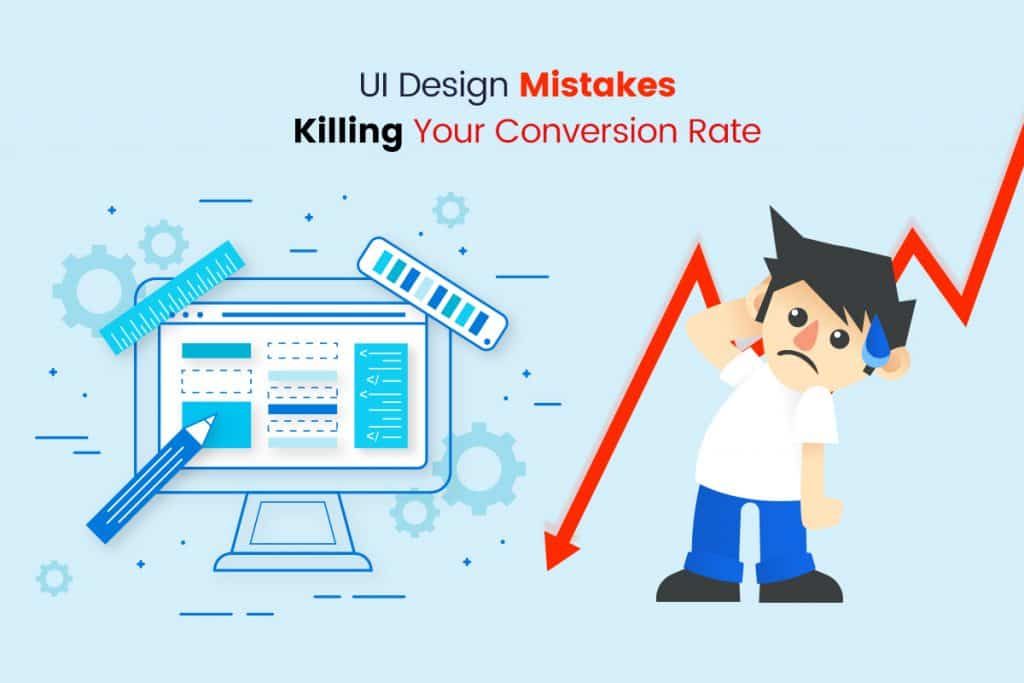
The user interface (UI) is the main thing when it comes to designing a website and application. In general, it is the design of the UI that creates a first impression to the viewers upon which they decide whether or not to interact regularly. According to a leading web design company, a site cannot develop much if it does not provide a better user experience. Visitors generally leave a site if they find their content boring or their design seems unimpressive. Therefore, there is no doubt that the user interface is the key to the success of a website. Also hiring an experienced web design company will not only increase the conversion rate of your website but also drag new viewers every day. So let’s take a look at some of the common errors which you should avoid to increase your conversion rate:    Common UI design errors that should be avoided while Web Designing Cluttered Design Sites with a messy design annoy their customers. It spoils the user experience and becomes annoying for users. In case the design is unorganized and cluttered, it tends to affect the conversion rates of the site since customers cannot obtain the CTA position. The use of excessive content, colours, images and insufficient focus for creativity can make the design crowded. Incorrect Position of CTA CTA packages complete the conversion power of web pages in a single button. Therefore, it becomes very crucial when it comes to the conversion rate. All aspects of the CTAs must clearly define the users that can be clicked on and must touch it. However, this is where people make mistakes since they don’t pay attention to the CTA that results in a bad result. The essential characteristics that you should consider when building your CTA are colour, design, size, shape, location, language and length. Unresponsive Design This is also one of the great UI design flaws that websites often make. This restricts the growth of a website and causes failures. An unresponsive design shows that the site is useless when it comes to responding across platforms and devices. To avoid unresponsive UI design hire an experienced web design company. Use of Stock Images The archive images are undervalued because they are false and you can easily notice it. When visitors visit your site, they look for a specific item or service and also want to believe you. This is another reason why leading web design company to prefer to avoid stock images because it not only decreases the trust and commitment of users but also affects the authenticity of the websites.  Inadequate Navigation In case the navigation of your website is disorganized and inappropriate, users leave your site earlier than expected. The purpose of a site is to make users easily navigate from one place to another or through the website so that they can access data easily.   The Bottom Line It is clear that the UI comes with many obstacles, but you can overcome them. And solving those problems makes your design perfect. Follow the aspects mentioned below: Use less content and say more. Use actionable words to involve users. Develop an organized website or application where you can place content in a balanced way. Your site or application must be immensely functional and easily accessible through different devices. Never force your users to think hard. Let them spontaneously do what you want them to do. Focus on designing for your promising customers and not for you. The navigation of your website should be simple and appropriate. The loading speed of a site must be high. Be sure to keep some social evidence on your application or site. Do not use any archive image to maintain the authenticity of your application or site. The CTA of your site must be actionable and attractive. Be sure to follow the above suggestions and apply them while designing the user interface of your application or website. Besides, consider hiring an experienced web design company which will not only help you in developing an efficient application but also improve the conversion rate of your site and give a better experience in an increase in customer satisfaction.   To comment on this article and to know more about web designing and web development, please check: Moz Web Development Source: mindinventory

The Positive Impact of Animating The UI Design

We all know how important the user interface (UI) is in the design and development of any application. However, to keep up with the changing scenario, the leading web design company states that application designers must easily adopt trends in design concepts and patterns to have the power to instantly attract user attention and improve customer retention.  The use of animation in the design of the user interface has brought a significant change since the images are no longer static and still, but with the animation tools, they have become more interactive.   Importance of Animation in User Interface Design The moving animation graphic is being believed to capture the attention of users more than traditional images and figures because of its animating characteristics. This is one of the probable reasons why most web design company are now incorporating animation when designing the mobile application’s user interface. It as has certain other benefits which are discussed below:  Makes your user interface very interactive You should know that if your user interface is not interactive, then it makes no sense to design it. This is because people would not show interest in downloading your application, even if it is very useful. The leading web design company feels that animation becomes very important when you are developing a game application or an educational application to explain some concept interestingly. Users can easily connect to the topic and understand the concept in a much better way. Provide interesting options during the timeout Users simply do not like to wait while the application is loading or updating. They do not have the patience to wait for a long period and, therefore, if you do not want them to uninstall your application, you can use the animation during the waiting time to calm the impatience of the users. This approach would at least keep users engaged for a while and reduce their frustration. Use animations to send notifications Sending notifications is an integral part of the mobile application marketing strategy. For example, many applications use push notifications to send important information or promotional content to massive users. So why not add a twist to the story? Let’s use animation to inform customers more interactively. Your messages will not be left unread if you have that animation element. You can communicate the message more clearly and precisely. The use of animation to navigate users One of the main advantages of animation in the user interface is that it allows users to navigate without problems. Users can move from one location to another with ease. Help in smooth transitions and user transport. Besides, it also helps establish a visual hierarchy to describe the connection between the different elements and can also be used to design a particular button to possibly describe a particular application’s functionality or feature. The animations better show the answers The animation can show better responses to users in the form of images. This improves the interaction between the user and the application. Through animation, they can get even the smallest details.   Conclusion Animation has been one of the most powerful tools with which it can attract a large number of users. It brings the simple-looking interface design to life and also helps improve user interaction. But if you want to maximize your benefits then it’s better to avail the service of an experienced web design company. Moreover, the animation will provide a very prosperous future for the design of the user interface, where designers will have much more varied tools to play in the future.    To comment on this article and to know more about web designing and web development, please check: Moz Web Development Source: mind Inventory  

Guide to Application of Typography in UI Design

One of the leading web design company recently stated that every element is important in the design when it comes to the design of the user interface and one of the best ways to improve the design of the user interface is typography. However, typography is considered to be the most difficult part of the user interface design. Therefore, you must learn the basics of the science of typography to make an efficient user interface design. But still, some many webmasters and designers don’t know the ways to use typography correctly in the design of the user interface. A good web design company not only reflect on readability, responsibility and graphic balance but also optimize typography for user interface design, and consider usability as the most crucial aspect. So to have a better understanding of the concept and its usability we have discussed typography below:    What is typography? According to Wikipedia, it is a method and art of organizing the type to make written language attractive, readable and readable when it is displayed. The systematization of the type includes the choice of point sizes, typefaces, line spacing, line lengths, the spacing between letters and modification of the space between pairs of letters. The term “Typography” also applies to the organization, style and appearance of the symbols, numbers and letters produced by the procedure. Simply put, typography deals mostly with the language written on the screen and needs both the tactics and the artistic skills of a designer.   Best typography practices in user interface design In case you want to create an excellent user interface design, you must master your typography. In this blog, a leading web design company will share some guidelines that will help you excel in the style of typography in the design of the user interface.   Fully detectable letterforms Numerous fonts have specific letter shapes that are not distinguishable from others in that set. This can make it difficult to read the text of that interface. Along with the letters, the figures are sometimes ignored compared to the different attributes of the sources for a given task.   Text styles Use built-in text styles if possible, as they help you show the context in ways that are visually different while maintaining absolute readability. These styles depend on the system fonts and help you take advantage of the benefits of basic typographic features, such as the dynamic type, which modifies the start and tracking of each font size automatically.   Prototypes Along with all kinds of designs, typography is also essential in prototype design. The incredible mobile typography can work together with each element of the user interface towards a productive and clean mobile user interface; However, in the design of mobile prototypes, the text does not need to be meaningful. For example, in Mockplus, one of the best prototyping tools, you can use the text component to design with a simple drag and drop. Mockplus is made up of text elements of one or more lines. You can describe the properties of the text, such as the font, font size, alignment, colour, etc. Besides, the automatic text data fill function will save you a lot of time. Besides, you can examine the design on a real mobile device to see if it has surprising readability.   Size is important It is generally seen that numerous designers include text components that differ in size; for example, copy of buttons, field labels, section headings, etc. In general, some fonts are ideal for large sizes, while others look perfect when used in small sizes or for letter shapes. In this way, you will have to reflect on the scalability of the text in case you have a font that you need to apply to large headlines and small labels. If you choose a font that appears in a specific way, consider one that is compatible with different sizes and those that promote readability and usability.   Letter spacing The only thing you should consider is the space between letters is that you should make the space appropriate and smaller for the text size if the text is larger. When you match large letters with large spaces, the font seems very open and this helps you correct the space manually. This manual configuration of the space between letters applies to the headings only in the design of the user interface.   Large proportion The width of a character in association with its height is explained as the proportion. Usually, you need a wide print and not a condensed one for better letter detection and this happens due to the best readability.   Readability This refers to the quality of the entire reading experience and is described as the ease with which you can identify blocks of text, subtitles, paragraphs, headings and understand the text presented to you. You can consider it as a macro typeface that makes the text attractive to encourage website visitors to read the content.   Sans Serif vs. Serif According to the story, serifs are more readable. They were used in print for an extended period and greatly improve the reading experience for large blocks of text. However, this story is not the same on the mobile and the web. Different sans-serifs can be read and present the state of visual design as simple forms of letters. On the web and specifically on mobile devices, you can see more sans-serif. Besides, the screen is not paper and, in general, will not read long texts on the web, especially in applications. In this way, everything depends on the project you are dealing with and how users will use your content.   Hierarchy The reading pattern is decided by hierarchy. Indicates how to keep a separate heading of body text and subtitle. This can be done with the use of contrast effect, margins, text sizes, fill, etc. You must learn this method correctly to master surprising readability.   Scenarios insight When you are about to … Read more